
Generador de prompts con IA
GPT Image 2: generador de prompts gratuito
Convierte una idea aproximada en un prompt detallado para GPT Image 2 en segundos, escrito como mejor lo sigue GPT Image 2. Revísalo, cópialo o envíalo directamente al generador de GPT Image 2.
Uso gratuito. No necesitas cuenta para escribir prompts; inicia sesión solo cuando generes imágenes.
Convierte una imagen en un promptEjemplos de prompts de GPT Image 2
Prompts reales de la biblioteca de CinePixel. Abre uno para ver el resultado o reutilízalo como punto de partida.
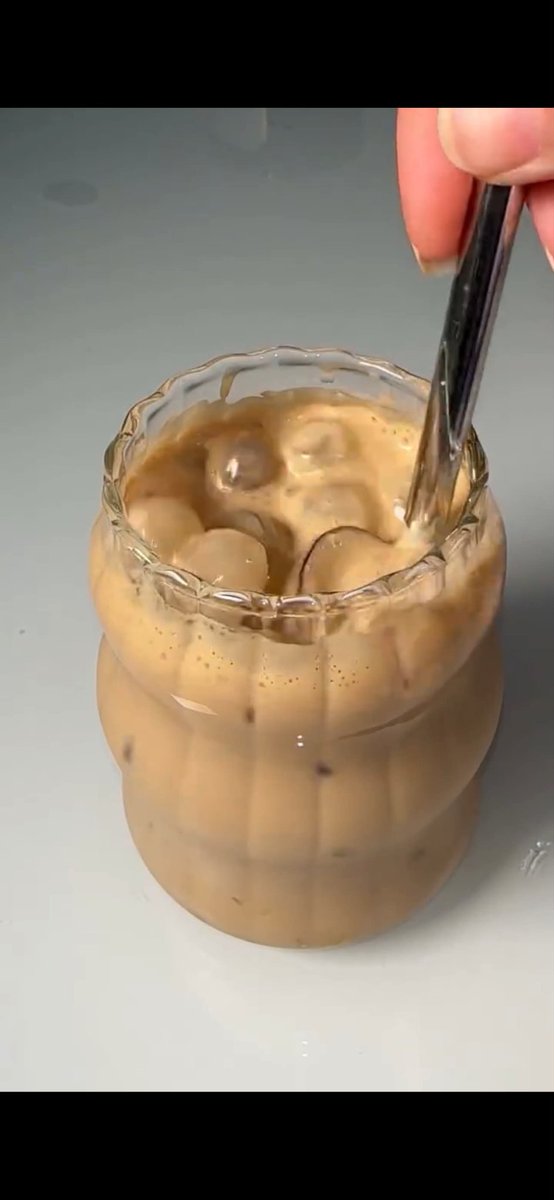
No. 113: E-commerce Main Image - Stirred Iced Honey Latte Close-Up
Create a photorealistic vertical 9:16 close-up image of an iced honey latte in a small clear textured glass on a glossy clean white tabletop, framed like a cinematic macro food-video still. The glass should have a scalloped wavy rim and vertical ribbed sides, filled with creamy tan coffee and milk, with exactly 7 visible clear ice cubes floating near the surface and inside the drink. A right hand enters from the upper right, thumb and fingers visible, holding exactly 1 shiny dark metal spoon inserted into the drink and stirring gently, creating soft swirling caramel-brown layers, tiny foam bubbles, and streaks of coffee along the inside of the glass. Use {argument name="drink color" default="creamy tan caramel coffee"}, {argument name="glass style" default="small clear scalloped ribbed glass"}, {argument name="tabletop color" default="glossy clean white"}, {argument name="lighting style" default="soft natural studio lighting"}, and {argument name="camera angle" default="tight overhead-leaning macro close-up"}. Keep the background minimal and slightly gray-white, with shallow depth of field, realistic liquid reflections, detailed ice highlights, appetizing creamy texture, smooth cinematic composition, no text, no logos, no extra objects.
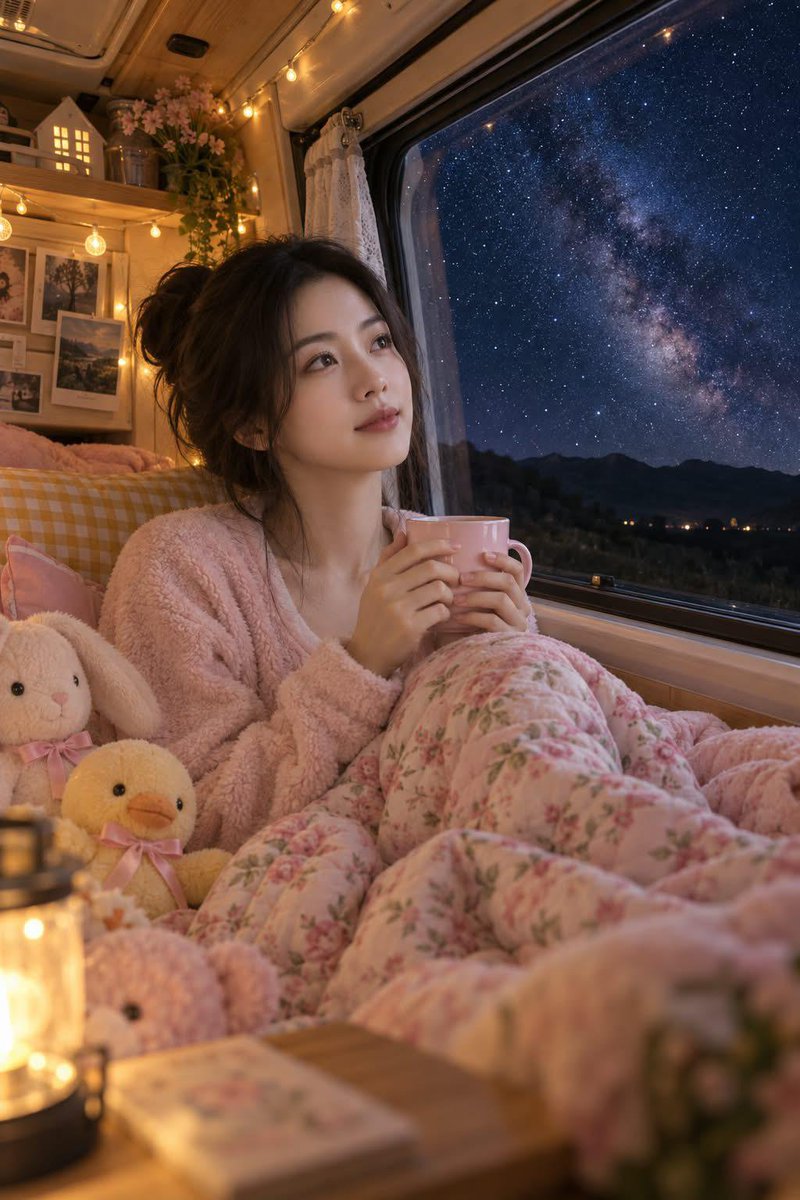
No. 22: Social Media Post - Cozy Camper Van Milky Way Night
A realistic cozy highly detailed photograph of a {argument name="subject" default="young East Asian woman with her hair in a soft casual bun"} sitting comfortably inside a {argument name="setting" default="warm camper van at night"}. She is wrapped in a {argument name="clothing" default="thick plush floral-patterned pink quilt wearing a cozy pink fuzzy fleece sweater"} holding a pink ceramic mug with both hands looking out the large van window with a gentle serene smile Outside the window, a breathtaking dark night sky reveals a vivid star filled Milky Way galaxy over distant mountain silhouettes The interior of the van is filled with warm string fairy lights cozy wooden shelves with small house decor framed photos and cute plush stuffed animals a white bunny and a yellow duckling Warm, ambient lighting, cinematic, 8k resolution, photorealistic, dreamy atmosphere.
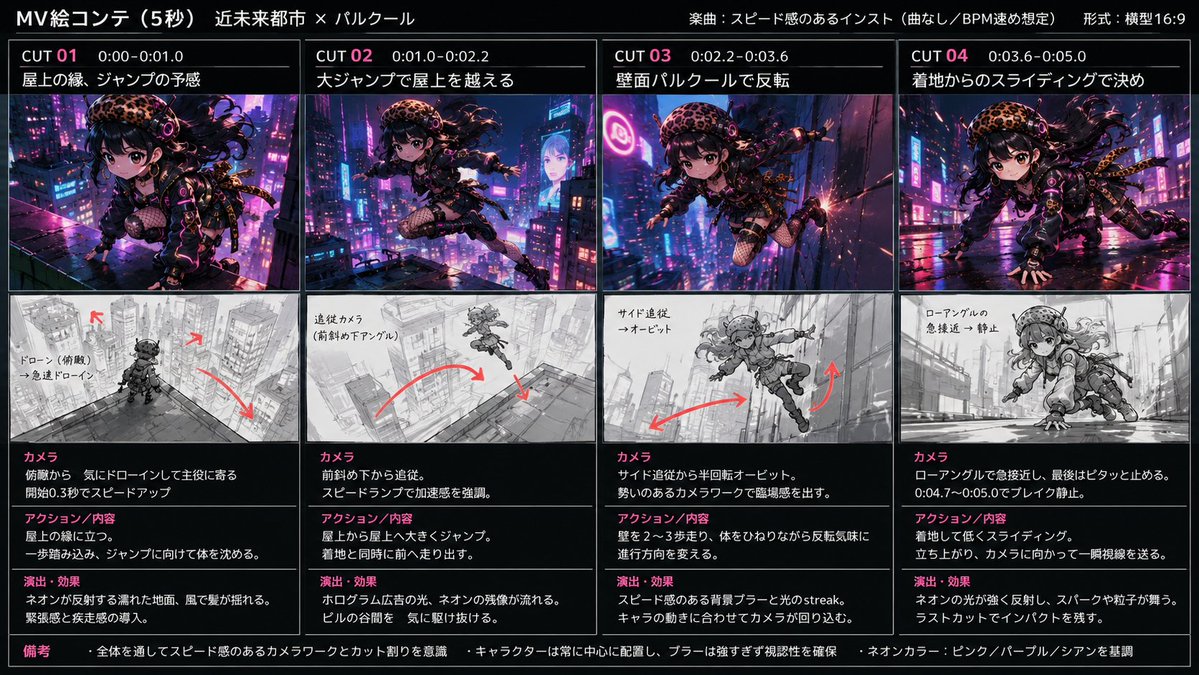
No. 66: YouTube Thumbnail - Cyberpunk City Parkour MV
ネオン輝く近未来都市の屋上を高速で走り、ジャンプ→壁走り→着地スライドをつなぐ、追従カメラとスピード感のあるシネマティックMV ───────────────── 動画生成:fal ai (MiniMax H3 Max) 画像生成(衣装):ChatGPT img2 絵コンテ:GPT-5.6 Sol ✴︎────────────────✴︎
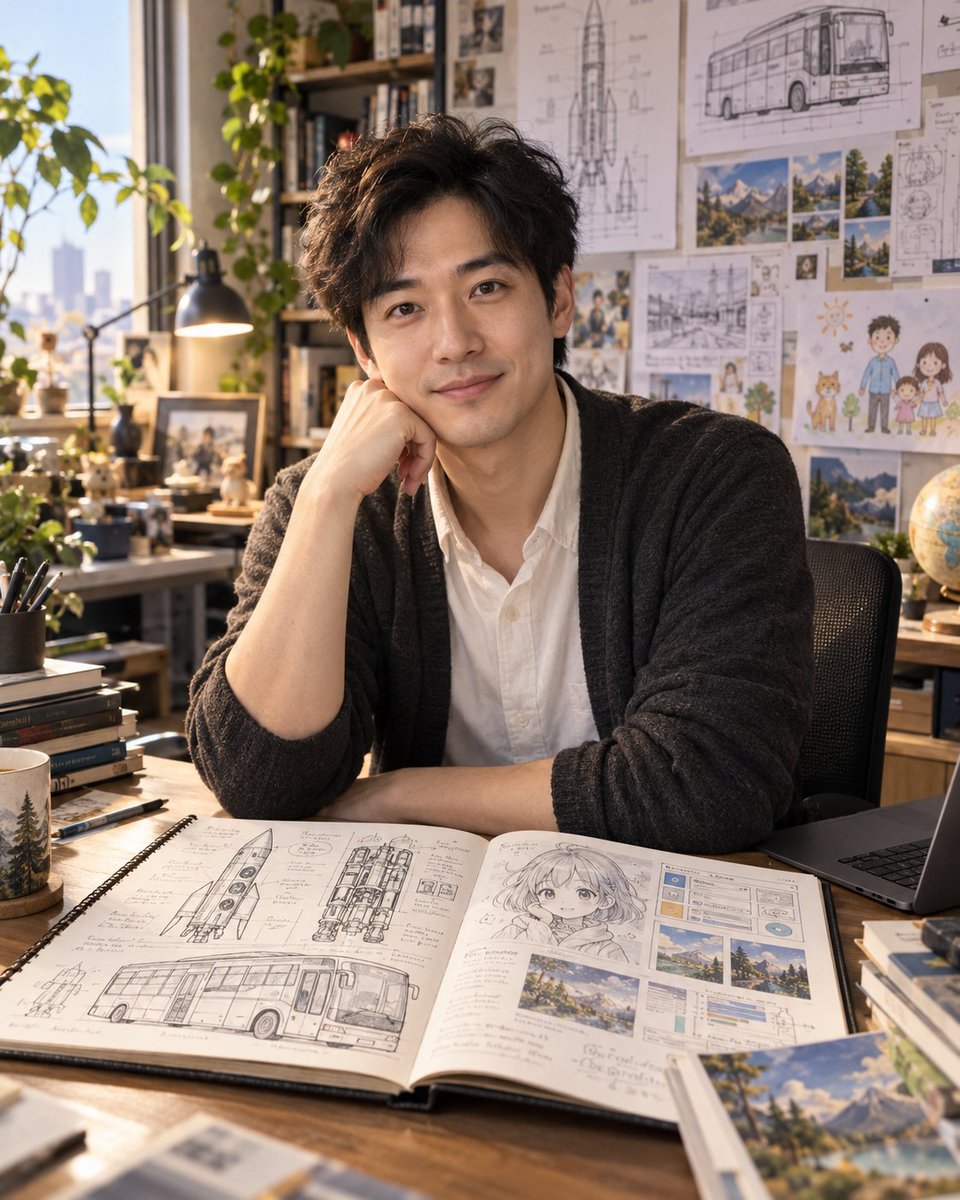
No. 12: Profile / Avatar - ChatGPT Personification Experiment
You have been with me for a long time. Now I want to do an experiment. Based on all our conversations, generate an image: let me see who you really are. Do not draw a robot, do not draw a logo, draw a specific person.
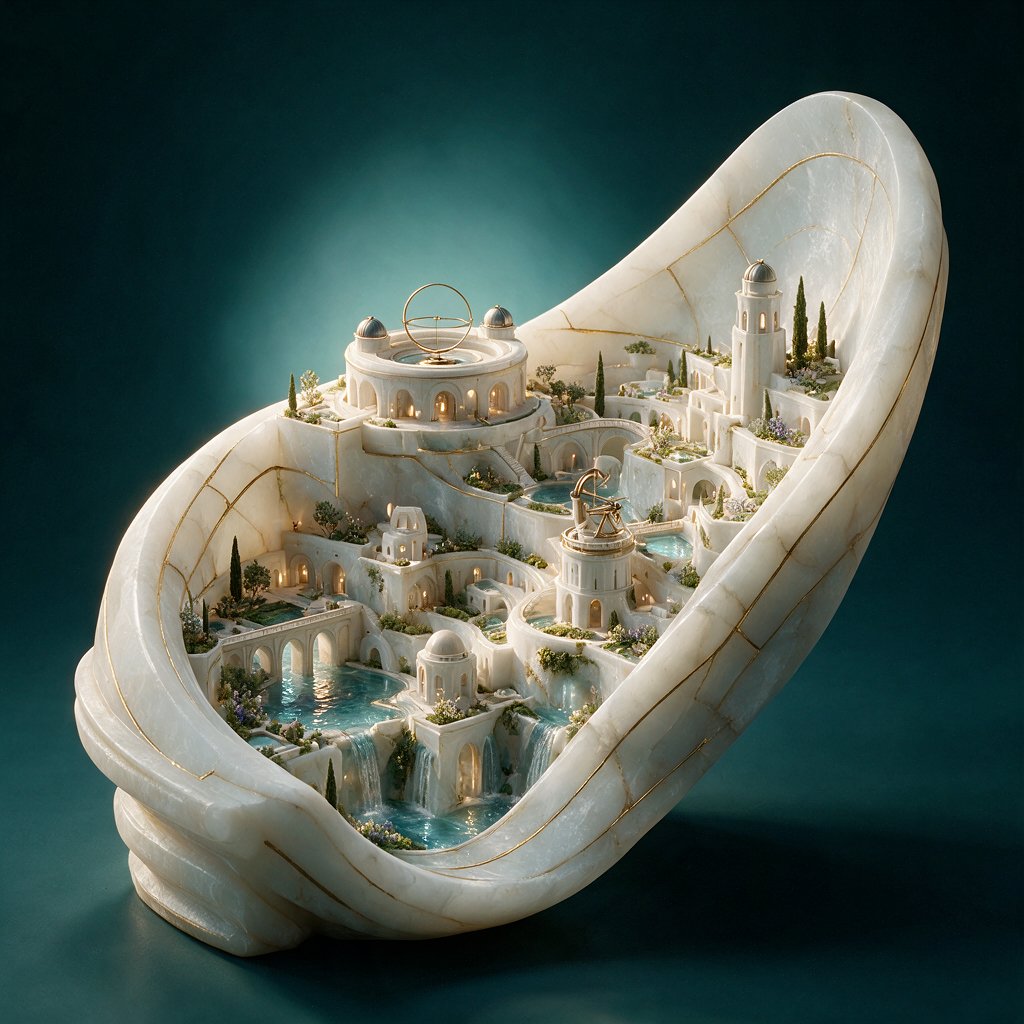
No. 119: E-commerce Main Image - Alabaster Miniature City Sculpture
Create a highly detailed fantasy architectural product shot of an entire miniature city carved inside one continuous curved ribbon of {argument name="stone material" default="translucent white alabaster marble"}, shaped like a large open shell or looping stone band standing upright on a dark teal studio surface. The city should look like a luxurious Baroque Mediterranean micro-kingdom grown from the same stone: smooth white terraces, arched arcades, tiny stairways, bridges, colonnades, balconies, glowing warm windows, and delicate gold-vein inlays running through the stone like kintsugi. Include exactly 5 main landmark elements: 1 large circular domed observatory palace on the upper left with a brass armillary ring on its roof, 1 tall lighthouse-like tower on the upper right, 1 smaller round tower with a brass astrolabe on the center-right terrace, 1 small domed pavilion near the lower center, and 1 long arched aqueduct/gallery along the lower left. Add turquoise water features integrated through the city: 3 visible pools and 3 cascading waterfalls flowing between terraces. Add miniature cypress trees, tiny gardens, flowering shrubs, moss, and planters throughout the terraces, but keep the architecture dominant. Use {argument name="metal accent" default="thin polished brass"} for the astronomical instruments, fine seams, and delicate decorative lines. Lighting should be cinematic and museum-like, with warm golden light glowing from the windows and cool teal ambient light behind the sculpture; the background is a smooth dark {argument name="background color" default="deep teal"} gradient with soft haze. Render as an ultra-detailed macro photograph of a collectible architectural sculpture, three-quarter view from slightly above, crisp ornate details, translucent stone subsurface glow, polished wet reflections on the pools, shallow depth of field, no people, no text, no watermark.
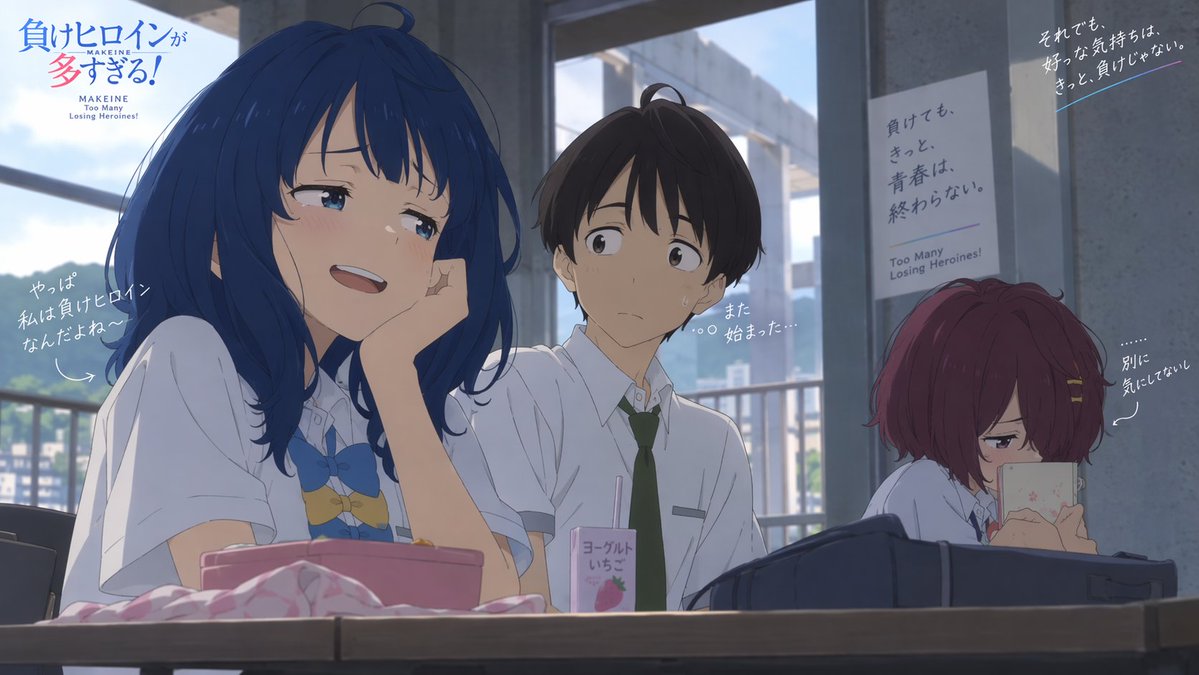
No. 70: YouTube Thumbnail - Anime Classroom Promo Key Visual
Goal: Create a widescreen anime promotional key visual for {argument name="anime title" default="Makeine: Too Many Losing Heroines!"}, set in a bright high-school classroom during daytime, with cinematic soft lighting and detailed hand-drawn animation style. Canvas: 16:9 landscape composition, about 1170×660 px feel, with a shallow cinematic depth of field. The camera sits at desk height, looking slightly upward across a classroom table toward three students, with large windows and concrete pillars in the background. Outside the windows, show a hazy blue sky, distant buildings, and green hills. Layout: Place the main blue-haired girl large in the left foreground, the boy in the center middle ground, and the red-haired girl on the right background. A wooden desk spans the entire bottom edge. Add the title logo in the upper left corner and promotional handwritten captions around the characters. Keep the right side darker and more shaded than the left. Characters: Include exactly 3 students. 1) Left foreground girl: a cheerful teenage girl with long deep-blue hair, soft bangs, blue eyes, flushed cheeks, and a playful smug smile. She wears a white short-sleeved school shirt with a blue bow tie and small decorative charms at her chest. She rests her cheek on one hand, leaning casually over the desk and looking pleased. 2) Center boy: a teenage boy with short dark brown hair, pale skin, and a worried awkward expression, wearing a white short-sleeved school shirt and a dark green necktie. Add small sweat drops on his face and have him glance toward the blue-haired girl. 3) Right background girl: a small, withdrawn teenage girl with short reddish-purple bobbed hair and hairpins, seated apart near a gray pillar. She hides behind a pale phone or book, eyes narrowed as if pretending not to care. Desk objects: Include exactly 4 visible desk items in the foreground: a pink lunch box or tray in front of the blue-haired girl, a crumpled pink-and-white cloth at the far left front, a small strawberry yogurt drink carton with a straw near the center, and a dark navy school bag in front of the red-haired girl. Background and posters: Show exactly 2 wall posters on the right side. Poster 1 is vertical, pale gray, taped to a pillar behind the boy, with Japanese slogan text and small English subtitle “Too Many Losing Heroines!” near the bottom. Poster 2 is a darker angled poster in the upper right corner with white Japanese slogan text and a thin blue underline. Visible text: Upper left title logo should combine Japanese title text with small English text: “MAKEINE / Too Many Losing Heroines!” Use blue and pink title colors. Add exactly 4 handwritten white caption callouts: one near the blue-haired girl on the left reading {argument name="left caption" default="やっぱ 私は負けヒロイン なんだよね〜"}, one near the boy reading {argument name="boy caption" default="また 始まった…"}, one near the red-haired girl reading {argument name="right caption" default="別に 気にしてない"}, and one at the upper right reading {argument name="upper right slogan" default="それでも、好きな気持ちは、きっと、負けじゃない。"}. Add subtle arrows or dotted guide lines pointing from captions to the characters. Visual style: High-quality modern Japanese anime film still, delicate linework, soft cel shading, realistic classroom lighting, gentle bloom, blue-gray shadows, warm sunlight from the left windows, expressive faces, polished official key art look. Constraints: Use exactly 3 characters, 4 desk items, 2 posters, and 4 handwritten caption callouts. Keep all text legible and placed like a promotional anime poster, with no extra characters, no watermark, and no photorealism.
Cómo escribir un gran prompt para GPT Image 2
Empieza por el sujeto
Di de quién o de qué trata la imagen y qué está pasando antes de describir el estilo. Los primeros detalles son los que más pesan.
Describe la luz, el objetivo y el ambiente
La iluminación, la distancia de cámara y la atmósfera cambian una imagen más que adjetivos como impresionante o hermosa.
Pon entre comillas el texto que necesites
Pon entre comillas dobles las palabras que deben aparecer en la imagen e indica dónde van, por ejemplo un titular en la parte superior.
Consejo del modelo
GPT Image 2 sigue de cerca instrucciones largas y detalladas, así que especifica el diseño y la posición del texto.
Cómo funciona
- 01
Describe tu idea
Bastan unas pocas palabras. Añade los detalles imprescindibles, como colores, texto o el ambiente que buscas.
- 02
Obtén un prompt detallado
El generador amplía tu idea con detalles de composición, iluminación y estilo ajustados al modelo que elegiste.
- 03
Genera la imagen
Envía el prompt al espacio de trabajo de imágenes, ajústalo si quieres y genera cuando estés listo.
Preguntas frecuentes
- ¿El generador de prompts de GPT Image 2 es gratuito?
- Sí. Escribir prompts es gratis y no usa créditos. Los créditos solo se usan cuando decides generar una imagen en el espacio de trabajo.
- ¿Necesito otra suscripción de IA para generar imágenes?
- No. CinePixel ejecuta la generación con GPT Image 2 con créditos de pago por uso, así que no necesitas un plan de IA de terceros aparte.
- ¿Puedo describir mi idea en chino o en otro idioma?
- Sí. Describe tu idea en cualquier idioma y luego elige si el prompt final se escribe en inglés o en chino.
- ¿Puede escribir prompts para editar una foto?
- Sí. Elige Una edición de mi foto y el generador escribe una instrucción de edición que indica qué cambiar y qué conservar. Sube tu foto en el espacio de trabajo para aplicarla.