
AIプロンプト生成ツール
無料の Gemini 3 Pro Image プロンプト生成ツール
ざっくりしたアイデアを、Gemini 3 Pro Image が最も理解しやすい書き方で、数秒で詳細な Gemini 3 Pro Image プロンプトに。確認してコピーするか、そのまま Gemini 3 Pro Image ジェネレーターに送れます。
無料でご利用いただけます。プロンプトの作成にアカウントは不要で、画像を生成するときにだけログインしてください。
画像をプロンプトに変換Gemini 3 Pro Image のプロンプト例
CinePixel ライブラリの実際のプロンプトです。開いて結果を確認したり、出発点として再利用したりできます。
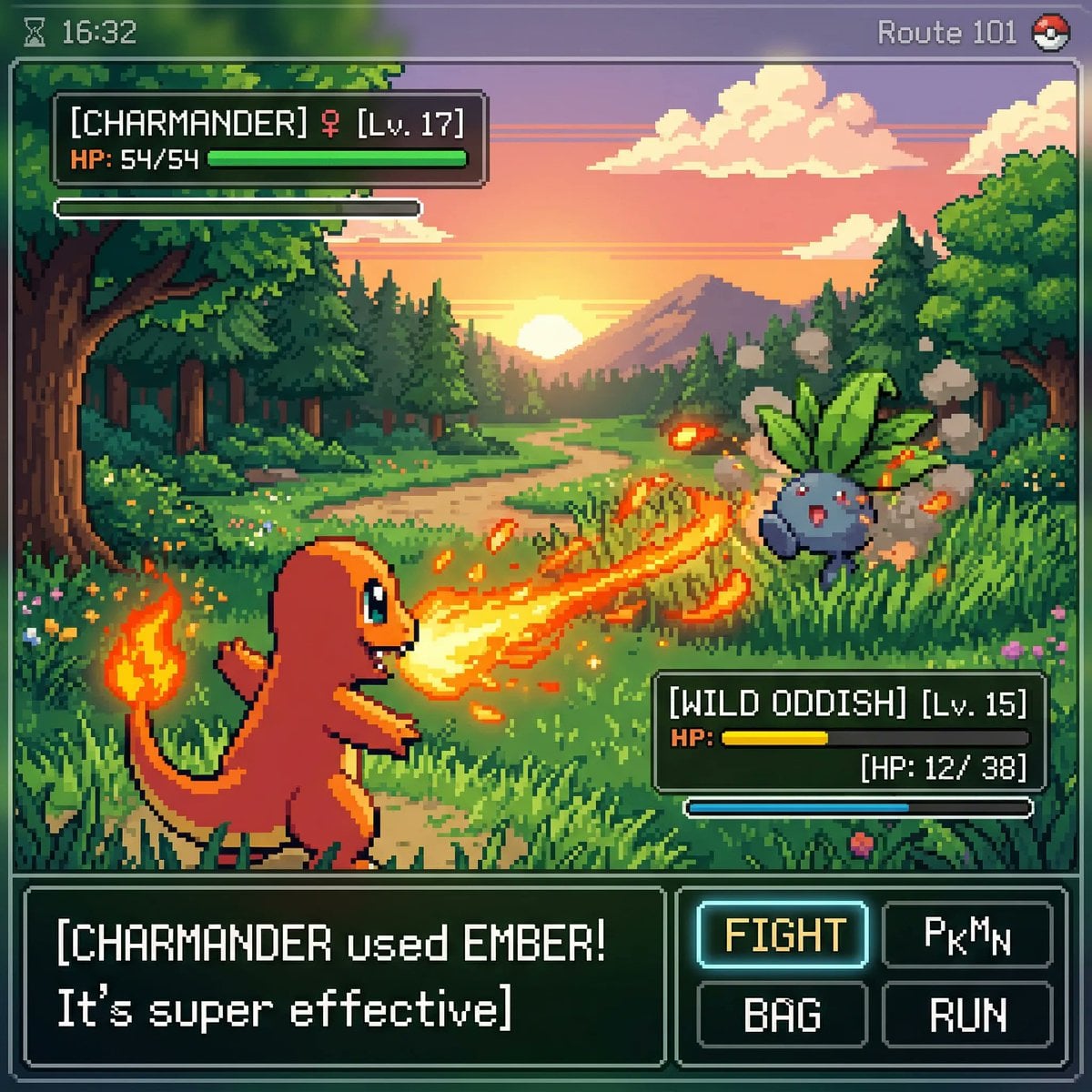
inspired by a classic pokemon gameboy screenshot but it's highly detailed beauti
inspired by a classic pokemon gameboy screenshot but it's highly detailed beautiful pixel art, include cool effects from moves used, modern minimal ui
![[PERSON NAME].
Act as a high-end sports graphic designer creating a conceptual](/api/storage/file/person-name-act-as-a-high-end-sports-graphic-designer-creati.jpg?key=prompts%2Fcatalog%2Fmeigen-json%2F20a293a802f999f51af118d250408bf1261e4c4c7f70064765712719f73c9600%2F1-589b7c6f80064557.image)
[PERSON NAME]. Act as a high-end sports graphic designer creating a conceptual
[PERSON NAME]. Act as a high-end sports graphic designer creating a conceptual tribute poster. The style is a complex "dual exposure photo-grid composite" with mixed-media textures. CENTRAL STRUCTURE (THE VESSEL): The central focus is a large-scale, high-contrast black and white portrait silhouette of [PERSON NAME]. This main portrait acts as the container. THE GRID FILL & TEXTURES (MIXED MEDIA): The interior of the silhouette is populated by a dense "photo mosaic grid" of action shots from the person's career. CRITICAL TEXTURE INSTRUCTION: Do not just paste flat photos. Apply artistic textures to various grid cells to create a tactile, collage feel. Use effects like: Halftone Dots: Comic-book style raster patterns on some cells. Fabric/Embroidery: Subtle thread or canvas textures suggesting a jersey or patch. Film Grain: Heavy noise on specific high-contrast action shots. COLOR STRATEGY: The base is Monochrome B&W. Use selective color overlays (relevant to the team/flag) ONLY on specific grid cells to create a rhythm. TYPOGRAPHY & BRANDING (STRICT MICRO-SCALING): Top Left (The Name): Write "[PERSON NAME]" strictly using the font Inter Semibold. Kerning: Tight negative kerning (-4%). Size: SMALL and discreet. It must occupy MAXIMUM 20% of the canvas width. Do NOT make it large or loud. Top Right (The Symbol): Place the primary logo (Team/Brand/Flag). Size: VERY SMALL. It must occupy MAXIMUM 10% of the canvas width. COMPOSITION & BACKGROUND: Background: Off-white or light grey with a visible high-quality paper or concrete texture. It should not be flat digital white. Alignment: Center the figure perfectly. Maintain wide negative space around the object.
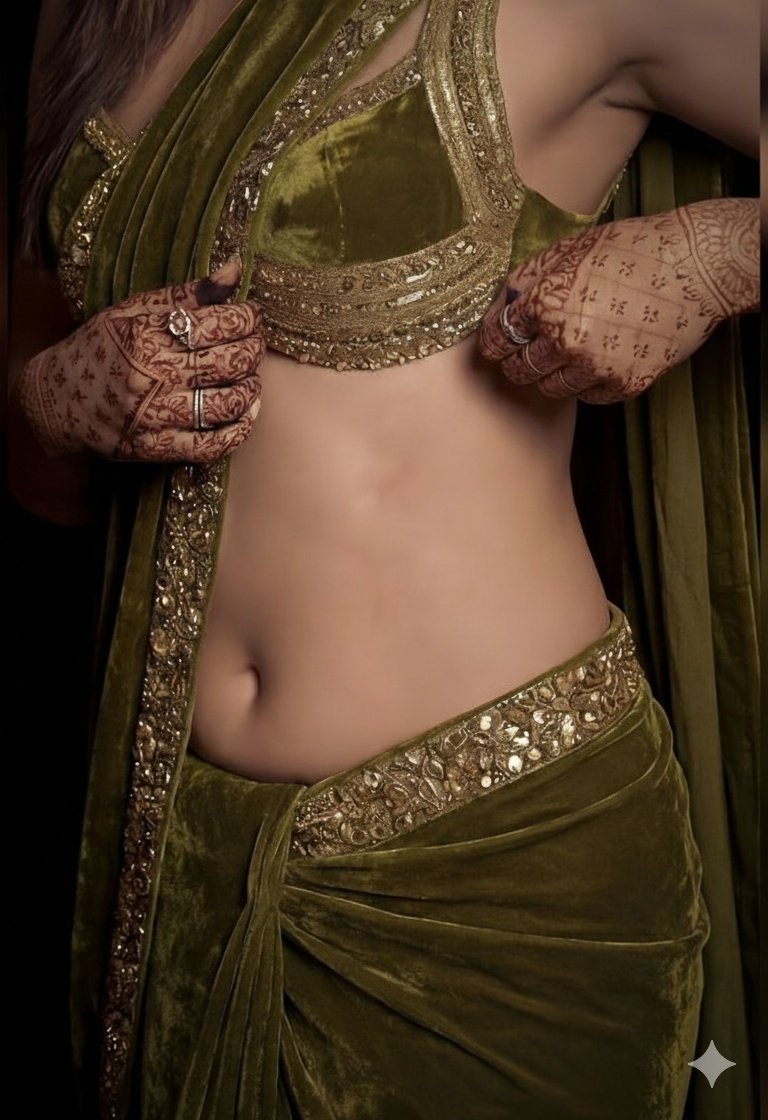
A detailed, high-fashion studio photograph of a woman posing gracefully, wearing
A detailed, high-fashion studio photograph of a woman posing gracefully, wearing a luxurious olive green velvet saree draped elegantly over her shoulder, paired with a matching heavily embroidered sleeveless blouse that highlights her midriff. The lighting is moody and dramatic, accentuating the rich texture of the velvet and giving her skin a subtle, dewy sheen. Her hands are adorned with intricate, dark henna (mehndi) designs, and she is wearing traditional gold earrings, looking directly into the camera with a confident expression.
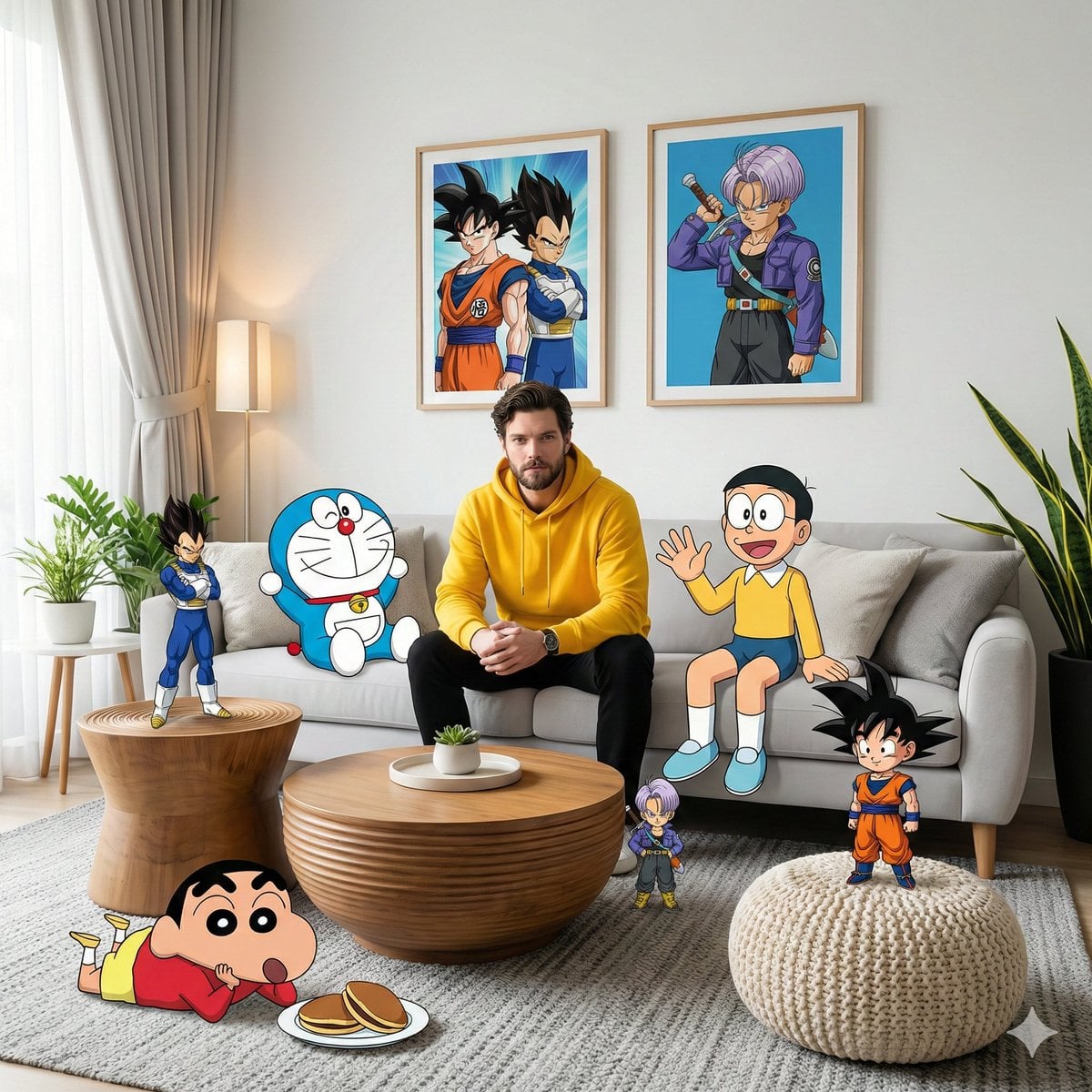
- A high-fidelity, wide-angle interior shot captures a surreal, mixed-media comp
- A high-fidelity, wide-angle interior shot captures a surreal, mixed-media composition within a modern living room. It features a man resembling the face in the reference photo—using an uploaded face as a reference—wearing a bright yellow hoodie and black pants, sitting centrally on a plush light gray sofa. The scene seamlessly blends photorealistic 3D environments with cel-shaded 2D anime and cartoon characters interacting directly with the physical space. On the right side of the subject on the sofa, Nobita sits casually waving his hand, while on the left side, Doraemon leans casually on a pillow. Behind the sofa, two framed posters hang on the white wall—one featuring Son Goku and Vegeta, and the other featuring Trunks in a dynamic anime style. In the foreground, Shinchan lies relaxed on a textured gray carpet near a plate of dorayaki, while a chibi version of Son Goku stands triumphantly on a cream-colored knit pouf. On the left side of the room, Vegeta stands tall on a grooved wooden side table in a confident pose, while a miniature version of Trunks is near the wooden coffee table in the center, as if observing the scene with a curious expression. Soft natural light streams in from the left side through sheer curtains, creating subtle volumetric lighting that accentuates the texture of the blanket, the wood grain of the tiered table, and the leaves of the snake plant in the corner of the room. The entire scene is rendered in 8K resolution with sharp focus, vivid colors, and a dreamy, cinematic, and playful aesthetic blending between the real world and the anime world, with no AI visible.
![A hyper-realistic 3D travel guide infographic poster for [COUNTRY]. The country](/api/storage/file/a-hyper-realistic-3d-travel-guide-infographic-poster-for-cou.jpg?key=prompts%2Fcatalog%2Fmeigen-json%2F0399ebf7f788d1b4307855230a60b67cbc53bc6b1c4ad698ac72b4c057c3f1f2%2F0-1c4f67920ad0966d.image)
A hyper-realistic 3D travel guide infographic poster for [COUNTRY]. The country
A hyper-realistic 3D travel guide infographic poster for [COUNTRY]. The country shape is rendered as a raised, textured terrain map floating on a clean light gray surface. Iconic landmarks are placed as miniature 3D sculpted models at their correct geographic locations across the map — each one highly detailed and photorealistic. Roads or railway lines connect key cities as white paths across the terrain. Around the map, floating 3D decorative props related to travel are scattered: a vintage leather suitcase with travel stickers, a compass rose, crystal heart charms, and a postage stamp seal reading “Travel to COUNTRY.” The national flag of [COUNTRY] is shown as a small realistic folded flag in the upper right corner. Each major city has a bold black label on the map, and beside the map, each city has a neat checklist of its top attractions in clean sans-serif typography. A large bold title at the top reads: “TRAVEL GUIDE TO “COUNTRY”” in black uppercase typography with the word [COUNTRY] in heavy bold. The overall aesthetic is premium editorial travel content — soft studio lighting, photorealistic 3D render, white/light gray background, clean layout.
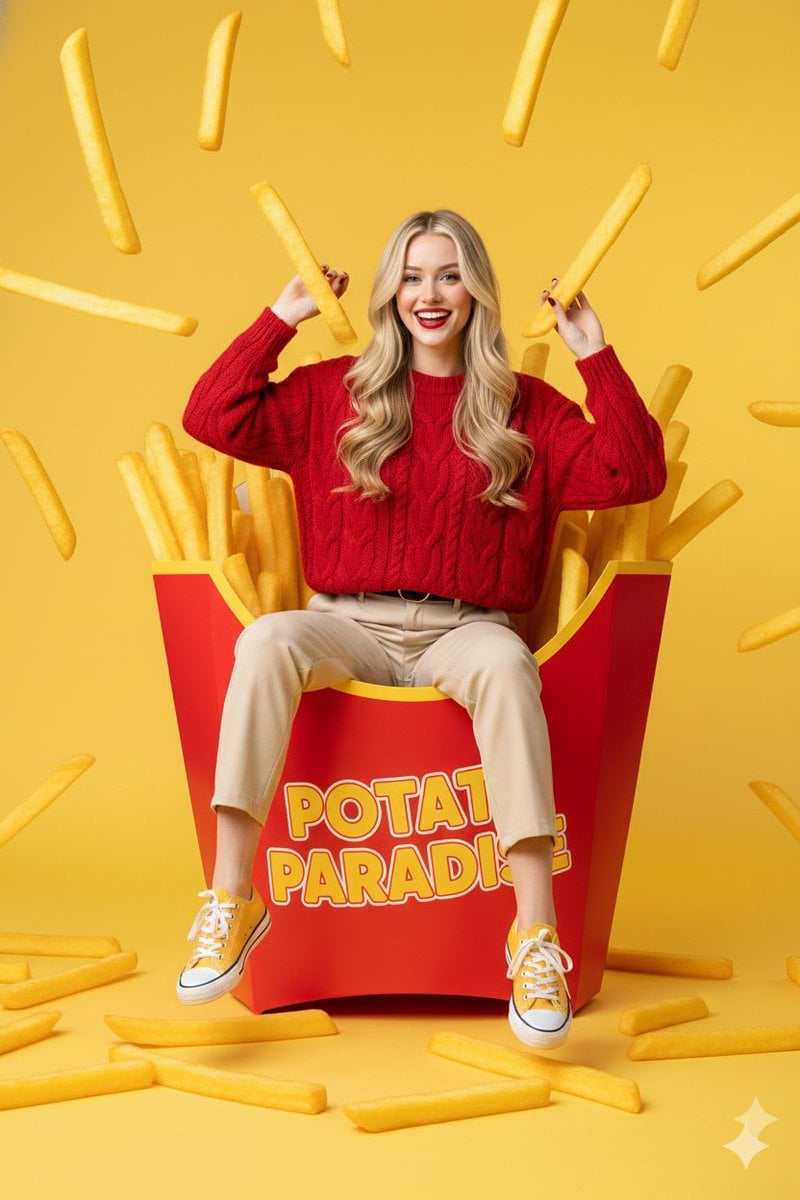
{ "prompt": "young western woman with long blonde hair sitting playfully insid
{ "prompt": "young western woman with long blonde hair sitting playfully inside a giant red french fry carton, surrounded by oversized golden-brown fries, some fries floating in the air, she is wearing a textured red sweater and beige trousers with yellow sneakers, cheerful expression, bright yellow studio background, surreal commercial photography style, high saturation, sharp focus, clean composition, 8k resolution, professional lighting", "negative_prompt": "low quality, blurry, distorted face, bad anatomy, extra limbs, dull colors, messy background, text, watermark, grainy, realistic size fries", "aspect_ratio": "3:4", "style": "surreal commercial photography", "lighting": "vibrant studio lighting with soft shadows", "camera": "eye-level medium shot, 50mm lens", "quality_tags": "masterpiece, ultra-detailed, high-end commercial aesthetic" }
優れた Gemini 3 Pro Image プロンプトの書き方
まず被写体から書く
スタイルを記述する前に、画像が誰や何についてのもので、何が起きているかを書きます。最初の細部ほど重みが大きくなります。
光、レンズ、ムードを記述する
ライティング、カメラとの距離、雰囲気は、「見事な」や「美しい」といった形容詞よりも画像を大きく変えます。
必要なテキストは引用符で囲む
画像に表示したい文字は二重引用符で囲み、上部に見出しを置くなど、配置場所も指定します。
モデルのヒント
写真家やアートディレクターのようにシーンを描写してください。キーワードの羅列よりも、物語のような描写のほうが効果的です。
使い方
- 01
アイデアを記述
数語で十分です。色、テキスト、希望するムードなど、必須の細部があれば追加してください。
- 02
詳細なプロンプトを取得
選んだモデルに合わせて、構図、ライティング、スタイルの細部を加え、アイデアを膨らませます。
- 03
画像を生成
プロンプトを画像ワークベンチに送り、必要に応じて調整し、準備ができたら生成します。
よくある質問
- Gemini 3 Pro Image プロンプト生成ツールは無料ですか?
- はい。プロンプトの作成は無料で、クレジットは消費しません。クレジットが使われるのは、ワークベンチで画像を生成するときだけです。
- 画像を生成するために、別のAIサブスクリプションは必要ですか?
- いいえ。CinePixel では従量課金のクレジットで Gemini 3 Pro Image の生成を実行するため、別途サードパーティのAIプランは不要です。
- アイデアを中国語や他の言語で記述できますか?
- はい。どの言語でもアイデアを記述でき、完成したプロンプトを英語と中国語のどちらで書くかを選べます。
- 写真を編集するためのプロンプトも作成できますか?
- はい。「写真の編集」を選ぶと、何を変更し何を残すかを示す編集指示を作成します。適用するには、ワークベンチで写真をアップロードしてください。