
01
Frame one original moment
Define one moment, the fictional characters and their relationship, the location, action, camera distance, and emotional turn. Avoid protected characters, franchises, and requests to imitate a living artist.
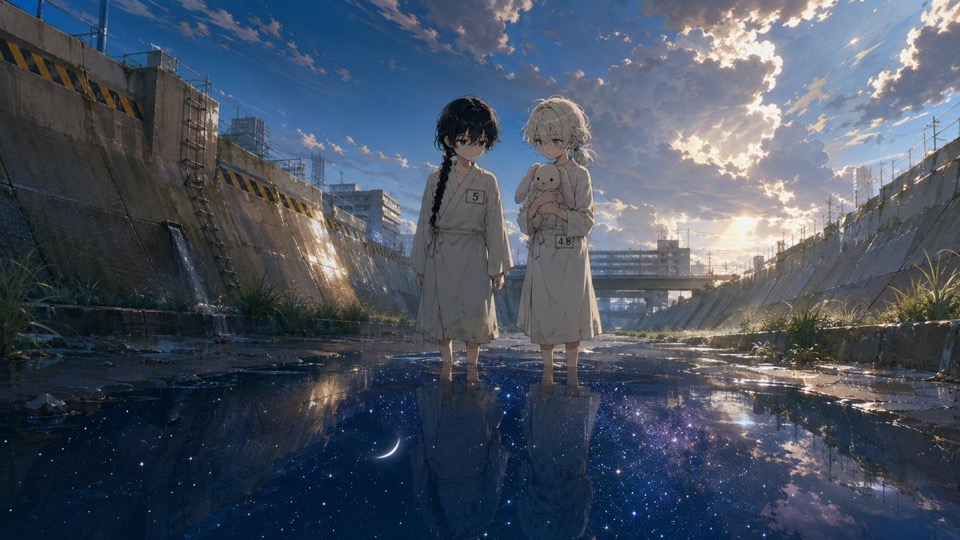
AI anime scene generator
Describe one moment, the relationship between its characters, the environment, light, and mood to explore a single reviewable 16:9 anime scene. Treat the result as concept art, not a complete comic, animation, or identity-consistent series.
Model-owned workspace
GPT Image 2
Inspectable text-only source prompt
#1483
Supported cinematic frame
16:9
Concept media by 🐹🐹: @hmst_yyyy · CC BY 4.0
The verified Prompt for Create one cinematic anime scene from a focused brief is owned by GPT Image 2. These alternatives cover the required workflows and output shapes; compare typed facts before choosing.
Jump into a focused image generator for a specific creative task, then continue in its canonical CinePixel workspace.
How it works
01
Define one moment, the fictional characters and their relationship, the location, action, camera distance, and emotional turn. Avoid protected characters, franchises, and requests to imitate a living artist.
02
Specify the 16:9 composition, foreground and background, weather, time of day, light direction, color palette, and atmosphere without adding conflicting scenes or panel instructions.
03
Inspect anatomy, hands, faces, clothing, props, symbols, numbers, unintended text, cultural context, and rights. Revise the single frame before using it in a larger creative process.
Single-scene directions
Use each output to compare one scene direction at a time. Character continuity, dialogue, panel order, motion, rights, and final production remain separate work.
Explore a meeting, discovery, confrontation, quiet pause, or turning point with one explicit relationship and emotional focus.
Compare environment, scale, weather, architecture, light, and palette for one location before committing to a broader visual world.
Give collaborators one bounded visual direction for discussion while keeping script, dialogue, continuity, animation, and release approval outside the generated frame.
Evidence and scope boundaries
Yes. Prompt 1483 has a canonical CinePixel detail page with the licensed output, creator attribution, and complete text-only source prompt available before the workspace handoff.
The licensed source record identifies GPT Image 2 and a text-only 16:9 prompt. CinePixel therefore opens the existing GPT Image 2 Text to Image workspace instead of inventing a separate manga model.
No. It creates one static concept for review. It does not guarantee recurring-character consistency, readable dialogue, multi-panel layout, protected-work identity, animation, an episode, or a publish-ready asset.
No. The handoff opens GPT Image 2 in Text to Image mode with Prompt 1483 selected, 16:9 fixed, and prompt focus visible. A generation request starts only after you explicitly choose Generate.
Open GPT Image 2 with Prompt 1483 ready, refine one original scene direction in the supported 16:9 frame, and generate only when you choose to proceed.
Open anime scene workspace