Skip to content
CinePixel logoCinePixel
Build a cyberpunk screen composition from a focused brief
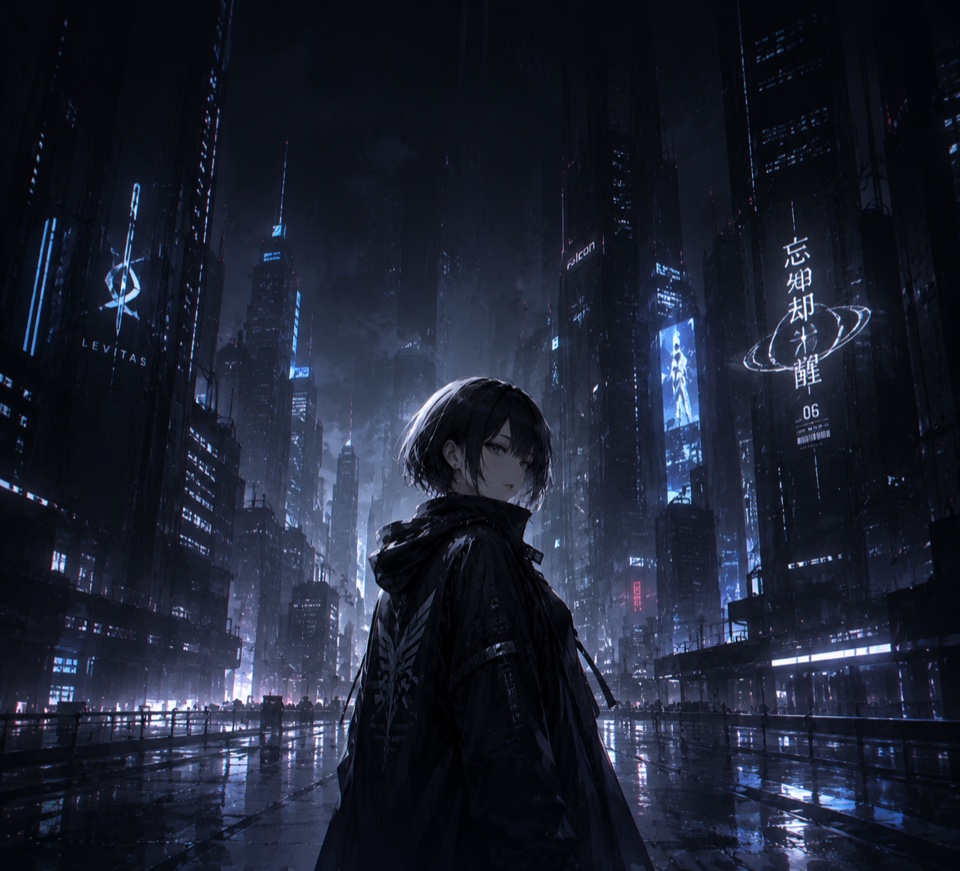
Dark cyberpunk screen-composition concept with an original short-haired fictional woman in a rain-soaked blue-black future city

AI Cyberpunk Wallpaper Generator

Build a cyberpunk screen composition from a focused brief

Turn one original subject, viewpoint, neon environment, palette, lighting, weather, mood, and calm overlay area into a reviewable screen composition. Treat the result as a concept image, not a device-ready wallpaper or safe-area validation.

Model-owned workspace

GPT Image 2

Inspectable text-only source prompt

#1726

Supported review frames

16:9, 9:16, 1:1

Concept media license: CC0 1.0

Compare capable models for this task

The verified Prompt for Build a cyberpunk screen composition from a focused brief is owned by GPT Image 2. These alternatives cover the required workflows and output shapes; compare typed facts before choosing.

Compare 3 capable models

Explore image generators by task

Jump into a focused image generator for a specific creative task, then continue in its canonical CinePixel workspace.

Browse the full generator directory
  1. Why it is relatedSame Text to Image workflow · Same prompt-led startPoster conceptsDevelop bold poster directions with a controlled subject, material treatment, color system, and portrait framing.
  2. Why it is relatedSame Text to Image workflow · Same prompt-led startAnime scene concepts
  3. Why it is relatedSame Text to Image workflow · Same prompt-led startBook illustration scenes
  4. Why it is relatedSame Text to Image workflow · Same prompt-led startStoryboard concepts

Composition workflow

Move from one screen brief to a reviewable neon composition

01

Define one original screen brief

Name one original focal subject, target screen and orientation, viewpoint, environment, scale, weather, time, palette, lighting, and mood. Avoid protected characters, logos, and imitation of a specific living artist.

02

Plan focus and calm space

Place the focal subject inside the intended crop and describe where icons, widgets, or text may sit. Ask for calm visual space there, but do not treat that instruction as a measured safe area or collision test.

03

Review the actual screen crop

Preview the concept at the intended display size and crop it manually. Inspect anatomy, faces, reflections, signs, letters, numbers, logos, third-party identities, contrast, and rights before any downstream use.

Screen-composition directions

Explore screen moods without promising device-ready delivery

Use each result to compare one visual direction. Exact device fit, multi-screen continuity, overlay readability, file preparation, rights, and final installation remain separate review steps.

Desktop and wide-screen mood studies

Explore wide neon cityscapes, cockpit views, rainy streets, industrial interiors, or abstract tech environments while reserving one calm region for desktop icons or presentation overlays.

Phone and foldable-screen concepts

Compare portrait or near-square lock-screen concepts with a clear focal subject and restrained detail, then test the actual crop around clocks, widgets, folds, cameras, and system controls yourself.

Art-direction review

Give collaborators one bounded art-direction image before separate device previews, accessibility checks, legal review, retouching, crop variants, file export, and release approval.

Evidence and screen-delivery boundaries

Know what one screen concept can and cannot prove

Can I inspect the example and source prompt first?

Yes. Prompt 1726 has a canonical CinePixel detail page where you can inspect the licensed output and complete source prompt before opening the workspace. Any generated sign or interface text still needs manual review.

Which model handles this screen concept?

The licensed catalog record explicitly identifies GPT Image 2, a text-only prompt, and a same-origin output. CinePixel therefore opens the existing GPT Image 2 Text to Image workspace instead of inventing a wallpaper-specific model.

Does it export a device-ready wallpaper with safe areas?

No. It creates one static composition concept. Ratios do not prove exact device dimensions, 4K delivery, foldable-screen pairing, safe areas, automatic crop, icon or text collision checks, readability, generated-text accuracy, wallpaper packaging, rights clearance, or a ready-to-install file.

Does opening the workspace generate automatically?

No. The handoff opens GPT Image 2 in Text to Image mode with Prompt 1726 selected, applies the task frame, and focuses the prompt area. A generation request starts only after you explicitly choose Generate.

Continue from the verified screen-composition prompt

Open GPT Image 2 with Prompt 1726, refine an original neon-world composition in a supported review frame, and generate only when you decide it is ready.

Open cyberpunk screen workspace