
AI photo tool
AI Crochet: Turn a Photo into a Crochet Doll Picture
Use a photo with a clear outfit and pose. The preset redraws the person as a yarn figure with loops and stitched details.
Upload a photo
No NSFW, harmful content, or deceptive identity edits. Follow our Acceptable Use Policy
Your results
Your edited photos will appear here. They are also saved to your history.
Want different instructions? Write your own in the image editor. Open in Image Editor
What AI Crochet helps with
- Asks the model to keep your subject and everything outside the task.
- Shows the credit cost before anything runs.
- Keeps your source photo beside the result so you can compare them.
Results are AI-generated. Keep your original and compare details before you share or print.
AI Crochet sample result
A real CinePixel image-editor result, made with this tool's editing instructions and a catalog image. Results vary with your photo and settings; review them before use.
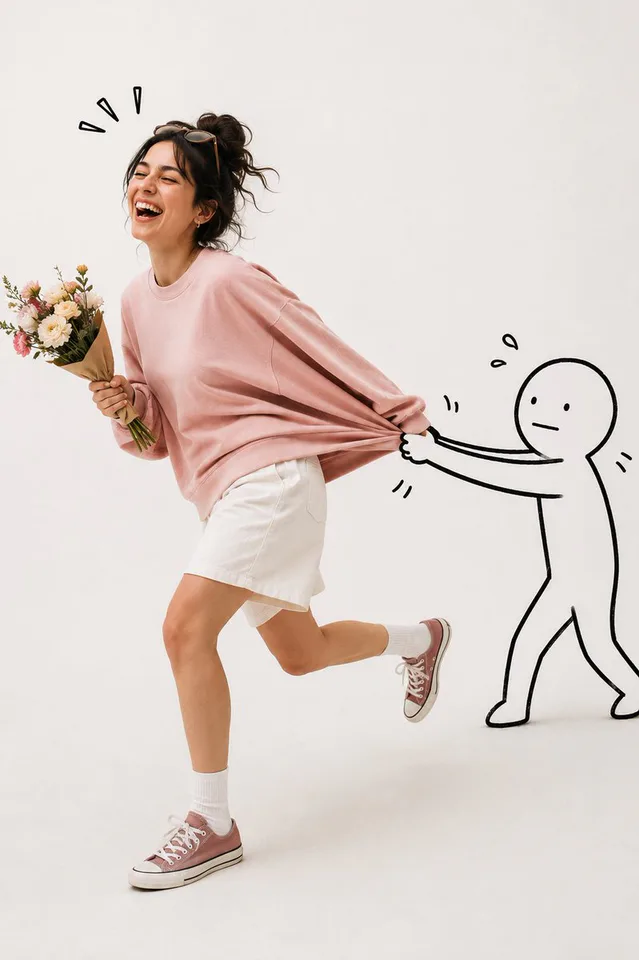
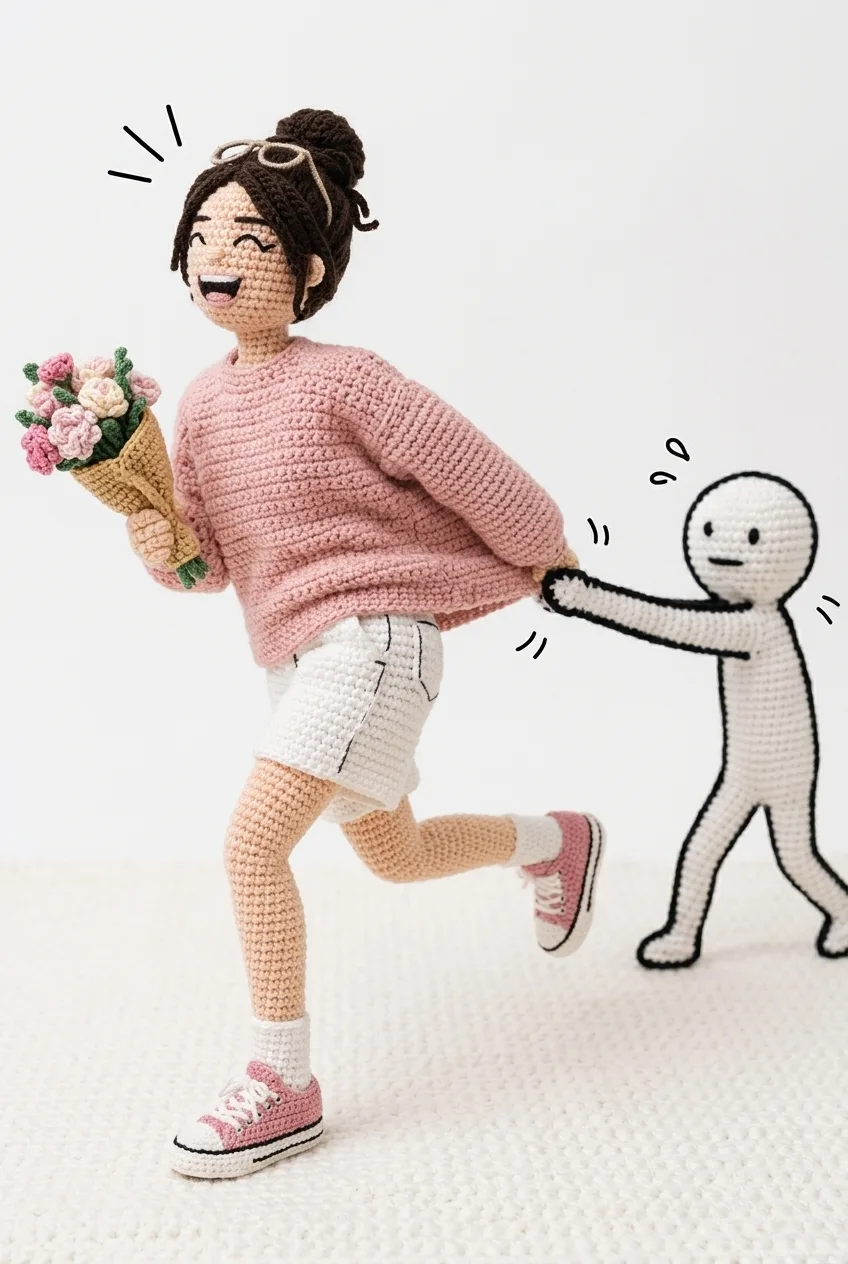
Look for the loops in the pink sleeve
Rows of yarn loops follow the pink sleeve, and the dark bun and bent leg still read like the original. The bouquet becomes a handful of small stitched shapes. Compare any accessory you want to keep, then step back and check the pose.

What does AI Crochet do?
AI crochet turns the subject of your photo into a picture of a small handmade crochet figure, often called an amigurumi doll: rows of yarn loops, a rounded body and simple stitched eyes. It suits a portrait with a clear outfit, a pet with distinct colors, a couple photo for an anniversary or a child in a costume. Main colors, hair and pose are kept, while small details such as jewelry, logos and fine patterns become simple stitches. You get an image of the doll, not a crochet pattern: stitch counts, yarn weights and instructions still have to be written by a maker.
How to use AI Crochet
- 01
Upload your photo
Add the photo you want to edit. Use the original file or a good scan for the best result.
- 02
Run AI Crochet
Use a photo with a clear outfit and pose. The preset redraws the person as a yarn figure with loops and stitched details.
- 03
Check the result against your photo
Look closely at the yarn loops and stitches. Colors and distinguishing features should match your subject, with no text or logos.
- 04
Download the version you checked
Download the result you are happy with. Every result is also saved in your history.
AI Crochet features
Choose a photo with a clear outfit and pose
Two or three distinct colors and a full or half body give the doll a readable shape. A busy pattern or a head-only crop gives the yarn little to follow.
Look for rows of yarn loops
Zoom in on a sleeve or another broad area. Look for loops that follow the shape instead of a flat texture pasted across it.
Check the outfit and the gesture
Compare the main colors, hair and pose with the source. Tiny accessories and features often become simplified stitches.
What you can do with AI Crochet
Amigurumi gift ideas
Show a crocheter what a doll of your partner, child or pet could look like before they start.
Craft shop listings
Make a preview picture for a custom crochet doll order, labelled as a design image.
Cozy social posts
Post a yarn version of yourself or your pet for a winter or craft-themed update.
Tips for better AI Crochet results
- Use a photo with strong, separate color areas, because yarn works in blocks of color.
- Pick one subject at a medium distance, since tiny features turn into a single stitch.
- If a defining detail disappears, choose a closer source where that detail is easy to see.
AI Crochet FAQ
- What should I review?
- Look closely at the yarn loops and stitches. Colors and distinguishing features should match your subject, with no text or logos.
- Does it give me a crochet or amigurumi pattern?
- No. You get an image of a crochet figure. It does not include stitch counts, yarn sizes or instructions.
- Why are the face details so simple?
- Crochet cannot show fine detail, so the model reduces eyes, noses and markings to simple stitched shapes.
- Will it work on a pet with long fur?
- Yes, but long fur becomes looped yarn in big blocks, so expect fewer strands and a rounder outline than the photo.