
AI photo tool
Plush Generator: Turn a Photo into a Plush Toy Picture
Start with a clear portrait and an outfit you can recognize at a glance. The preset redraws the person as a soft toy with fuzzy fabric and stitched details.
Upload a photo
No NSFW, harmful content, or deceptive identity edits. Follow our Acceptable Use Policy
Your results
Your edited photos will appear here. They are also saved to your history.
Want different instructions? Write your own in the image editor. Open in Image Editor
What Plush Generator helps with
- Asks the model to keep your subject and everything outside the task.
- Shows the credit cost before anything runs.
- Keeps your source photo beside the result so you can compare them.
Results are AI-generated. Keep your original and compare details before you share or print.
Plush Generator sample result
A real CinePixel image-editor result, made with this tool's editing instructions and a catalog image. Results vary with your photo and settings; review them before use.
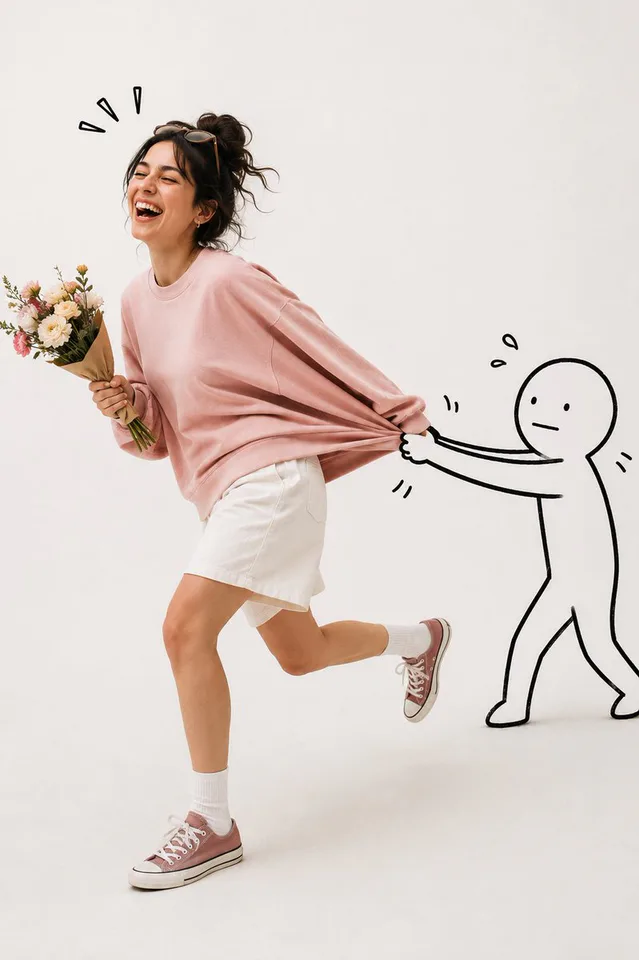
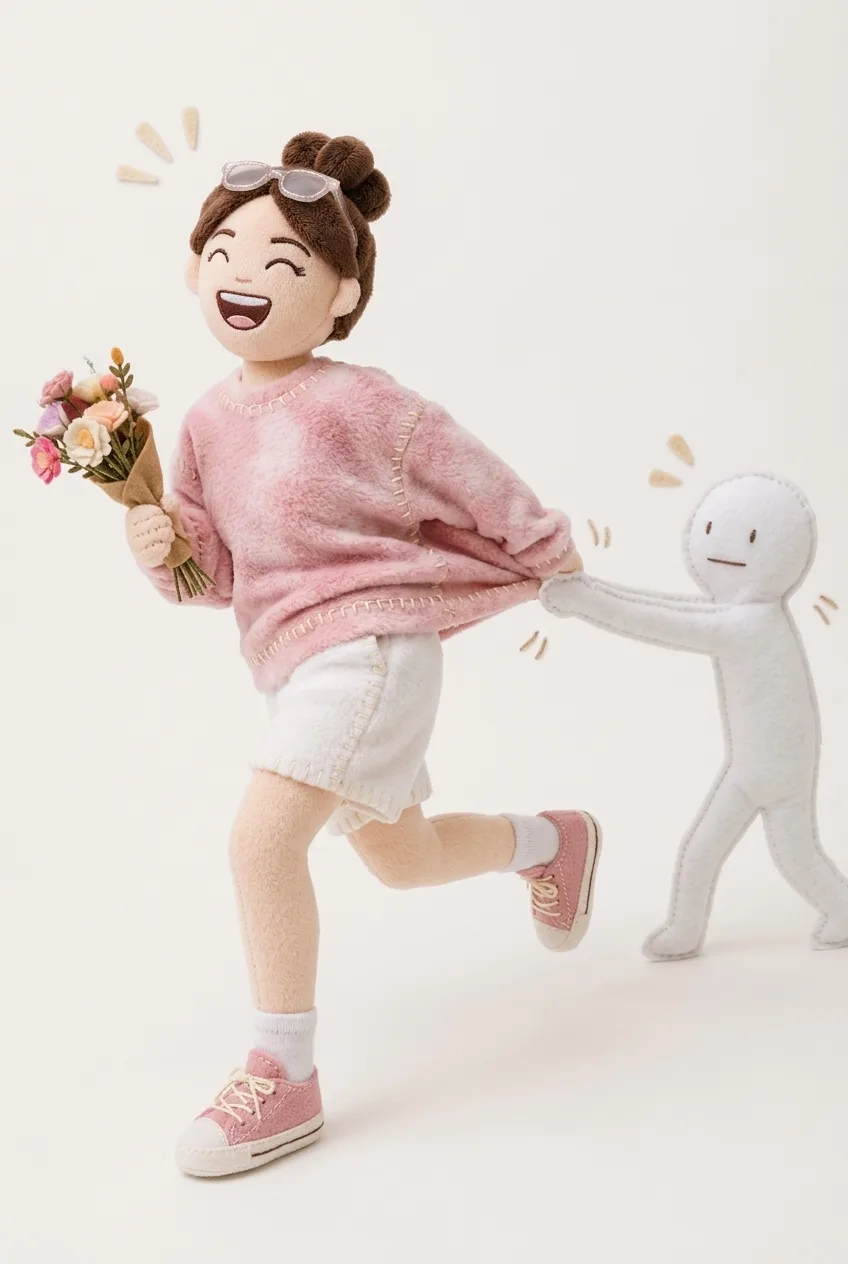
Compare the sweater and the raised shoe
In this result, the pink sweater has a fuzzy surface and visible seams along the hem. The raised shoe and dark bun still follow the source pose. Compare the bouquet and glasses too. The small details become toy parts, so check the ones that matter to your portrait.

What does Plush Generator do?
The plush generator turns the subject of your photo into a picture of a soft toy: fuzzy fabric, visible seams and simple embroidered eyes and nose, on a plain background. People use it for a dog or cat they want as a plushie, a child's drawing-like portrait, a couple photo for an anniversary, or a team mascot idea. Colors, markings and the outfit are kept so the toy still looks like your subject, while faces become simpler and rounder. It makes a design image only: nothing is sewn or shipped, and it does not copy toy brands or add logos. If you want a real plush made, show the image to a maker as a reference.
How to use Plush Generator
- 01
Upload your photo
Add the photo you want to edit. Use the original file or a good scan for the best result.
- 02
Run Plush Generator
Start with a clear portrait and an outfit you can recognize at a glance. The preset redraws the person as a soft toy with fuzzy fabric and stitched details.
- 03
Check the result against your photo
Look at the fabric, seams and stitched face. The colors and markings should still match your subject, and no text should appear.
- 04
Download the version you checked
Download the result you are happy with. Every result is also saved in your history.
Plush Generator features
Show the whole subject
Leave space around the head, paws or feet. A plush is judged by its silhouette, so a cropped ear or tail makes the toy look unfinished.
Look at the fabric and seams
Zoom in on a sleeve and the face. Check for fuzzy cloth, a visible seam and simple stitched features. Look for texture that follows the rounded shape of the toy.
Compare the outfit and pose
Check the hairstyle, main colors and position of the arms and legs against the photo. Small jewelry and lettering can be simplified or lost.
What you can do with Plush Generator
Pet plushie ideas
See your dog or cat as a plush toy with its own markings before ordering a custom one or as a gift card picture.
Kids and family keepsakes
Turn a child or a couple photo into a soft-toy picture for a nursery print or an anniversary card.
Mascot concepts
Try how a team, club or shop mascot would look as a plush before talking to a manufacturer.
Tips for better Plush Generator results
- Use a clear, well-lit photo of one animal or person, so markings and colors read correctly.
- Pick a pose facing the camera, because plush faces are simple and side views lose detail.
- If a defining accessory disappears, use a closer source where it is easy to see.
Plush Generator FAQ
- What should I review?
- Look at the fabric, seams and stitched face. The colors and markings should still match your subject, and no text should appear.
- Will I receive a real plush toy?
- No. You get a picture of a plush, not a pattern or a toy. A maker would need to design and sew the real toy from scratch.
- Will it add a brand tag or logo?
- No. The model is asked not to copy a toy brand or protected character and not to add text or logos.
- Does it work for people as well as pets?
- Yes. A person becomes a stuffed figure with simple stitched features, so expect a stylized face rather than a close likeness.