
AI photo tool
Photo to Sketch: Turn a Portrait into a Graphite Pencil Drawing
Start with a portrait that has clear light and shadow. The graphite preset redraws it with pencil lines and hatching. Compare the face and pose with the original.
Upload a photo
No NSFW, harmful content, or deceptive identity edits. Follow our Acceptable Use Policy
Your results
Your edited photos will appear here. They are also saved to your history.
Want different instructions? Write your own in the image editor. Open in Image Editor
What Photo to Sketch helps with
- Asks the model to keep your subject and everything outside the task.
- Shows the credit cost before anything runs.
- Keeps your source photo beside the result so you can compare them.
Results are AI-generated. Keep your original and compare details before you share or print.
Photo to Sketch sample result
A real CinePixel image-editor result, made with this tool's editing instructions and a catalog image. Results vary with your photo and settings; review them before use.
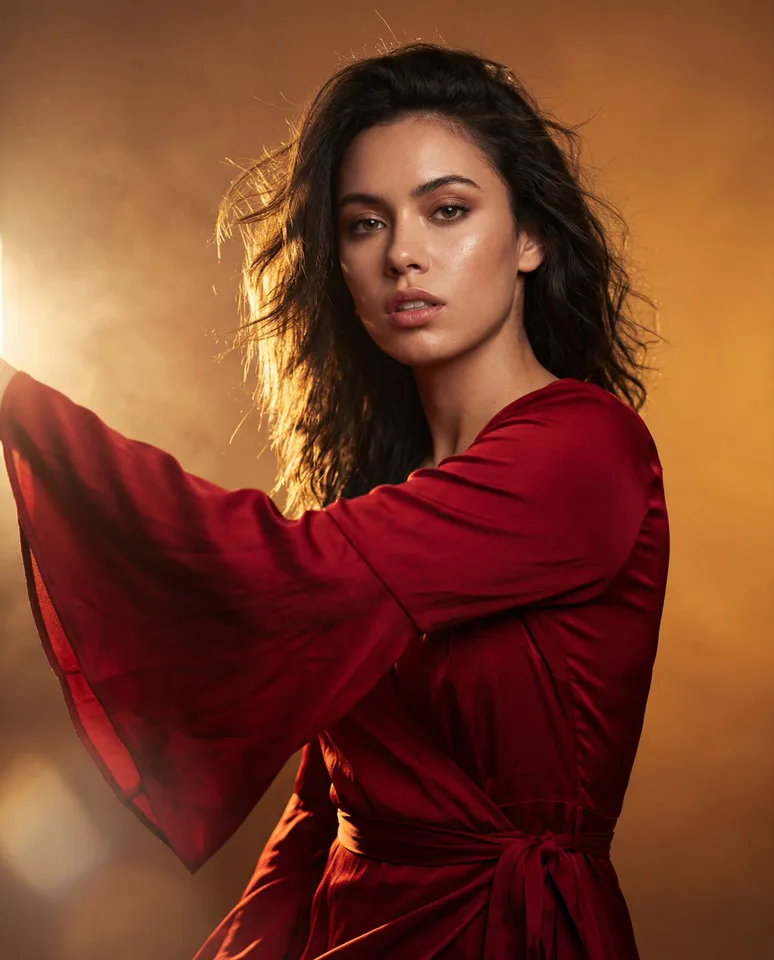
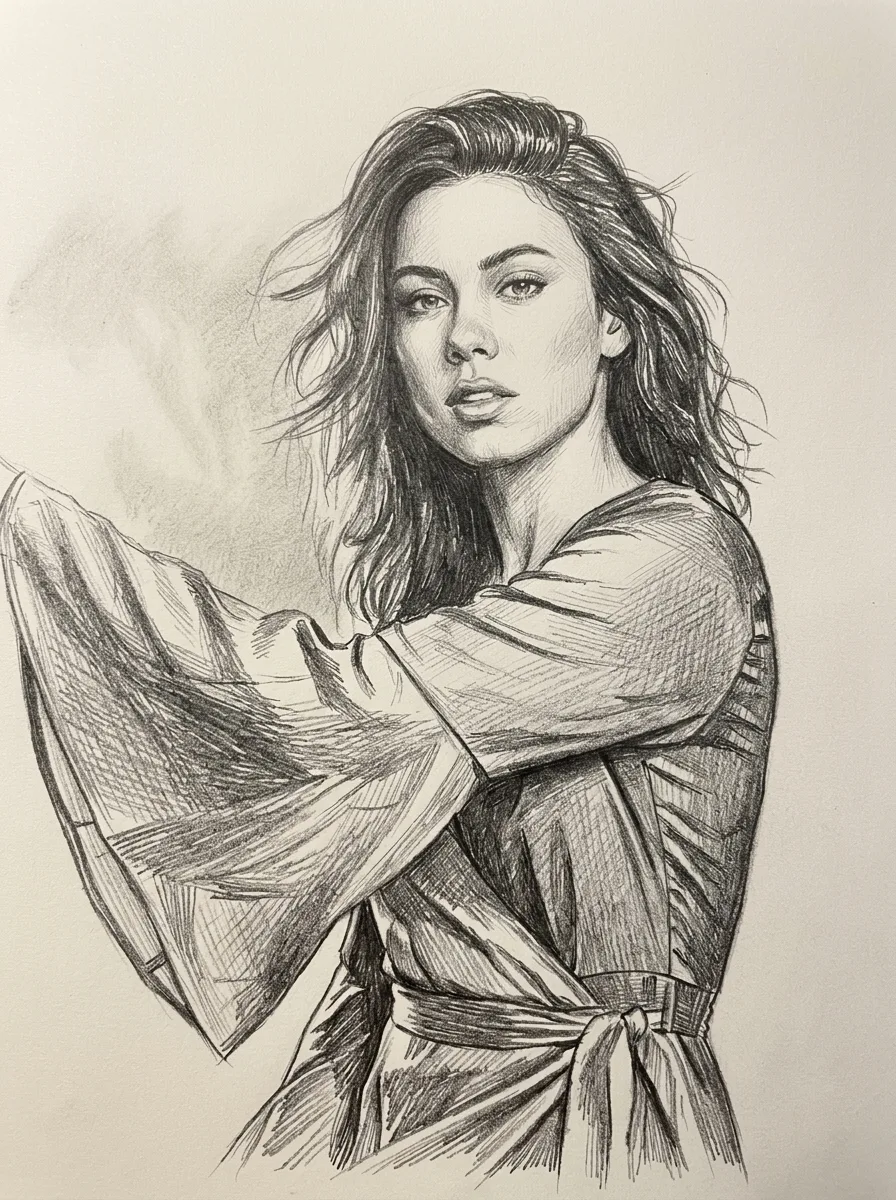
Compare the sleeve and the face
Follow the wide sleeve from the shoulder to the cuff. In the sketch, the fabric folds are drawn with darker strokes and the upper cheek stays light. Compare the eyes and the mouth with the original too. The mouth and collar have shifted slightly, so use the original wherever an exact likeness matters.

What does Photo to Sketch do?
Photo to sketch redraws your picture as a graphite pencil drawing on plain paper, with hatching in the shadows and lighter strokes where the light falls. It suits a portrait with light from one side, a pet looking at the camera, a grandparent's old photo, a house or a street corner for a housewarming card, or a still life on a table. The result is gray pencil, not colored pencil, and keeps the pose and composition. Because it is a fresh drawing, small things like the line of the mouth or the angle of the eyes can shift, so compare them with the original before you print or frame it.
How to use Photo to Sketch
- 01
Upload your photo
Add the photo you want to edit. Use the original file or a good scan for the best result.
- 02
Run Photo to Sketch
Start with a portrait that has clear light and shadow. The graphite preset redraws it with pencil lines and hatching. Compare the face and pose with the original.
- 03
Check the result against your photo
Compare the eyes, mouth and head angle with the original before deciding whether to keep the sketch.
- 04
Download the version you checked
Download the result you are happy with. Every result is also saved in your history.
Photo to Sketch features
Choose a photo with clear light and shadow
Hatching follows the shadows. A face lit from a window gives the pencil something to shade; a flat photo taken with flash tends to come out as outlines with little depth.
Read the shading before the outline
Look for denser strokes in folds and under the chin and lighter ones on the bright side. Large flat gray areas mean the draft lost depth; run another one.
Compare the expression with the original
Check the line of the eyes, the tilt of the head and the shape of the mouth, then the hands if they are in the frame. A sketch can look good and still change the face.
What you can do with Photo to Sketch
A portrait drawing as a gift
Turn a photo of a parent or partner into a pencil portrait for a card or a small frame.
Pet and house sketches
Draw your dog, your cat or the front of a new home for a housewarming or memorial card.
A tonal reference for drawing
Use the graphite version to study light and shadow, with the photo beside it when proportions matter.
Tips for better Photo to Sketch results
- Choose a photo with clear light and shadow on the face. The pencil marks have more to work with.
- If the face is small, start with a tighter source crop before you run the preset.
- Compare drafts at the same zoom. Keep the one with a recognizable face and clear strokes in the darker areas.
Photo to Sketch FAQ
- What should I review?
- Compare the eyes, mouth and head angle with the original before deciding whether to keep the sketch.
- Is the sketch in color or black and white?
- It is a graphite pencil look, so expect gray tones on plain paper, not colored pencil.
- How is this different from line art?
- A sketch has shading and hatching for depth. Line art is clean outlines only, with no gray fill; use the line art page for that.
- Can I trace the sketch onto paper?
- You can use it as a reference, but it is a new drawing, so proportions can drift slightly from your photo.